Most bad business dashboards do not look visually broken. In fact, they look expensive. They feature slick dark themes, dozens of colorful pie charts, glowing radial meters, interactive maps, and sixteen metric boxes packed into a single screen.
Yet when an operational manager opens the dashboard on Monday morning, they still cannot immediately answer the single question that matters for their job: What requires my direct attention right now?
This is the fundamental failure of modern dashboard design. Designers and product managers often approach dashboards as data museums: places to exhibit every metric the database can calculate, rather than decision support systems designed for cognitive clarity.
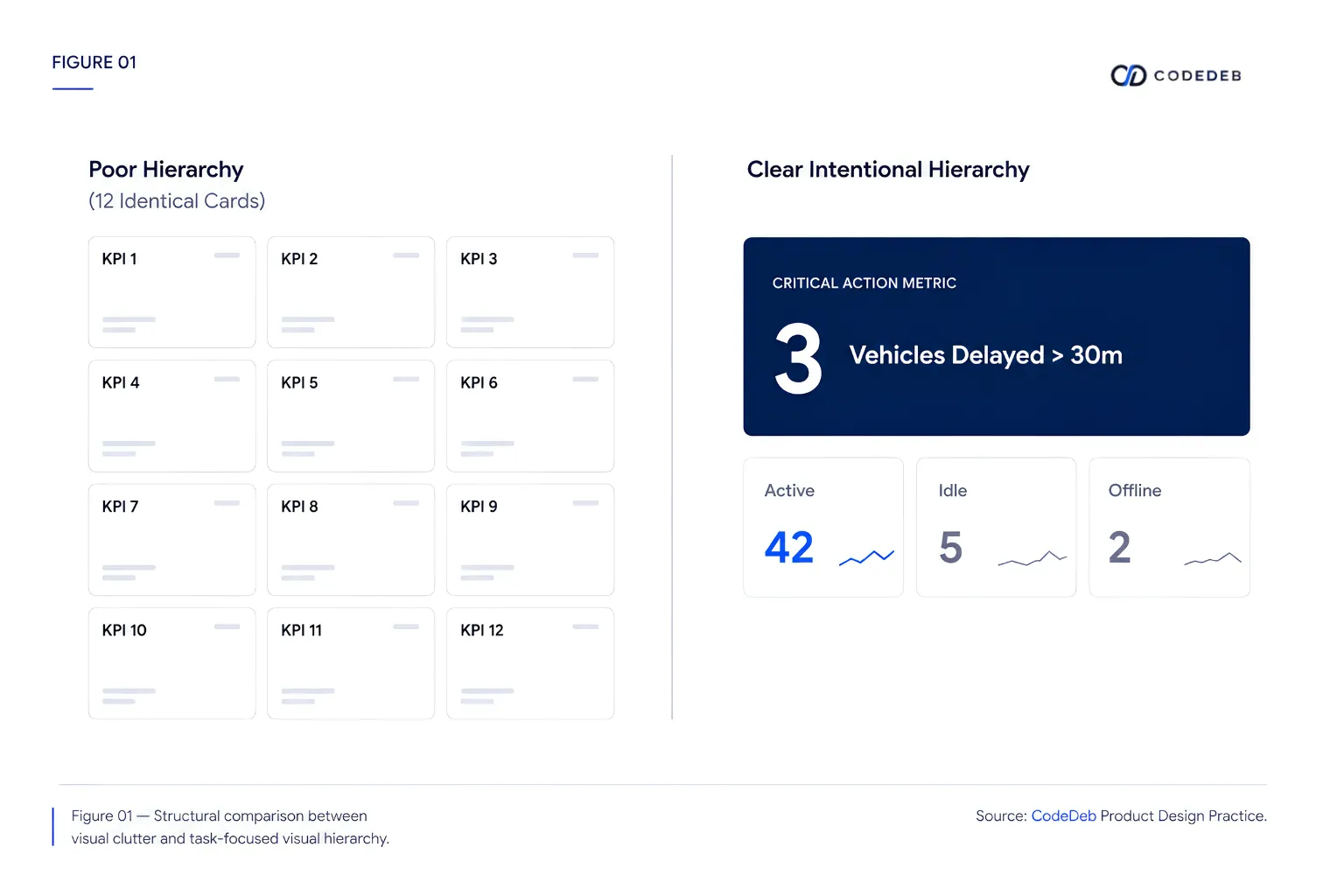
The "Hero Metric Grid" anti-pattern
A classic dashboard anti-pattern is treating every metric with equal visual importance. When sixteen KPI cards share identical typography, background shading, and border radii, the designer has surrendered their responsibility. They have transferred the heavy cognitive burden of prioritizing data back to the user.
Tables are not design failures
Product designers frequently try to replace tabular data with charts or visual widgets under the mistaken belief that graphics are inherently superior. However, for operational workflows, such as reconciling invoices, reviewing stock items, or verifying employee attendance logs, a clean, high-density table is the most usable interface human beings have ever invented.
A well-designed operational table permits fast vertical scanning, direct sorting, precise numerical alignment, and immediate inline actions. Do not replace functional tables with bar charts merely to make an administrative screen look more visual.
Mathematical accessibility standards in interface design
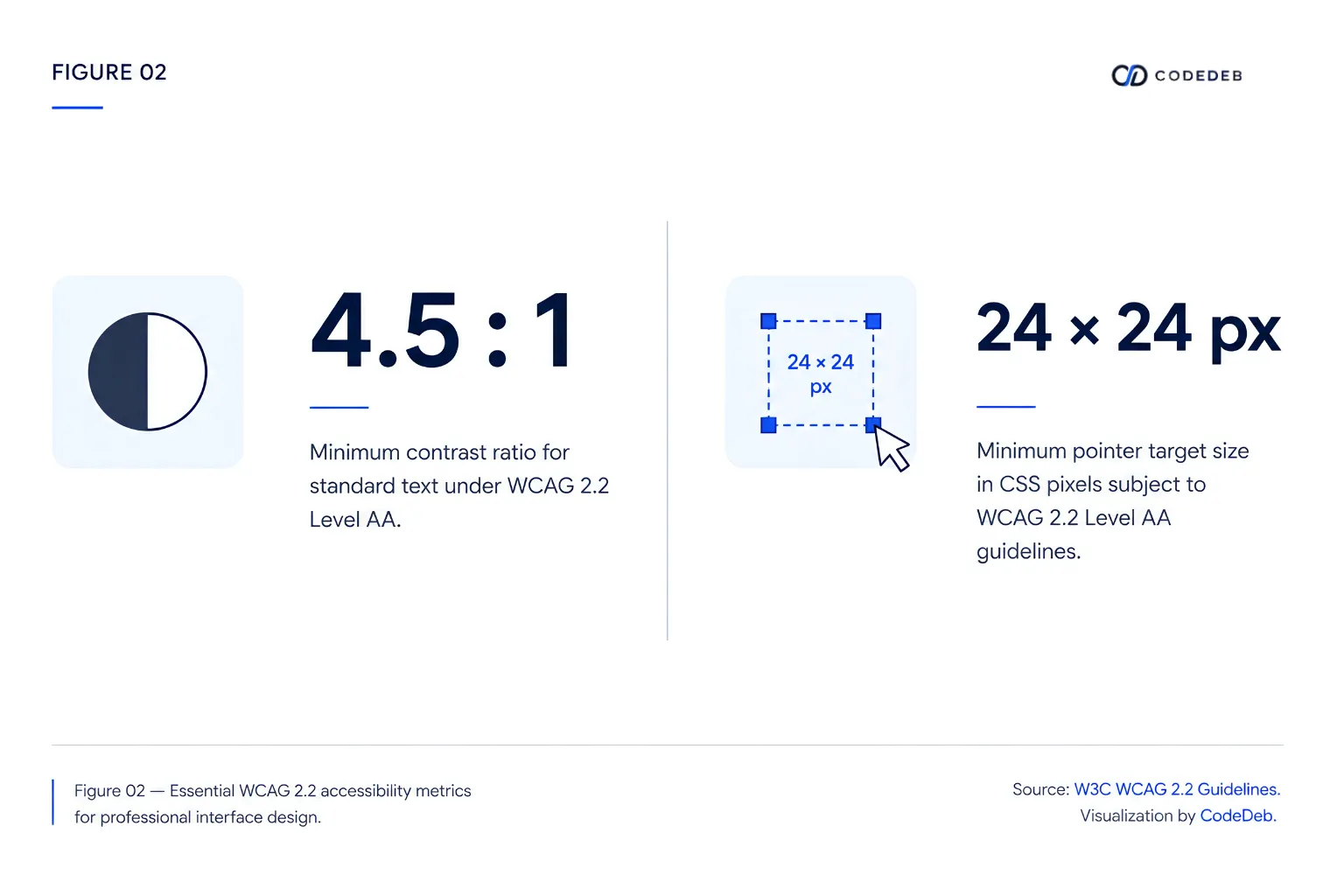
Legibility in software is not a subjective preference; it is governed by optical mathematics. According to the Web Content Accessibility Guidelines (WCAG 2.2), text elements must maintain rigorous contrast ratios against their background colors to ensure legibility across real-world lighting conditions.[1]
Progressive disclosure: Show less to inform more
The solution to data overload is progressive disclosure. The top layer of a dashboard should present only high-level operational status and anomaly alerts. Clicking any specific metric should cleanly reveal the supporting breakdown, allowing users to drill down into raw transactions without cluttering the primary workspace.
Great dashboard design is not measured by how much data fits on the screen. It is measured by how rapidly a user understands what needs to be done next.