An interface can look breathtaking on a 27-inch 4K monitor connected to gigabit fiber in a quiet design studio. But if that same software is intended for a field inventory manager in Hetauda working on a low-end Android smartphone under bright sunlight with intermittent 3G connectivity, the studio desktop preview is irrelevant.
Designing software for the Nepali market requires designing for the environment in which that software must actually survive.
Responsive layout is not the same as usability
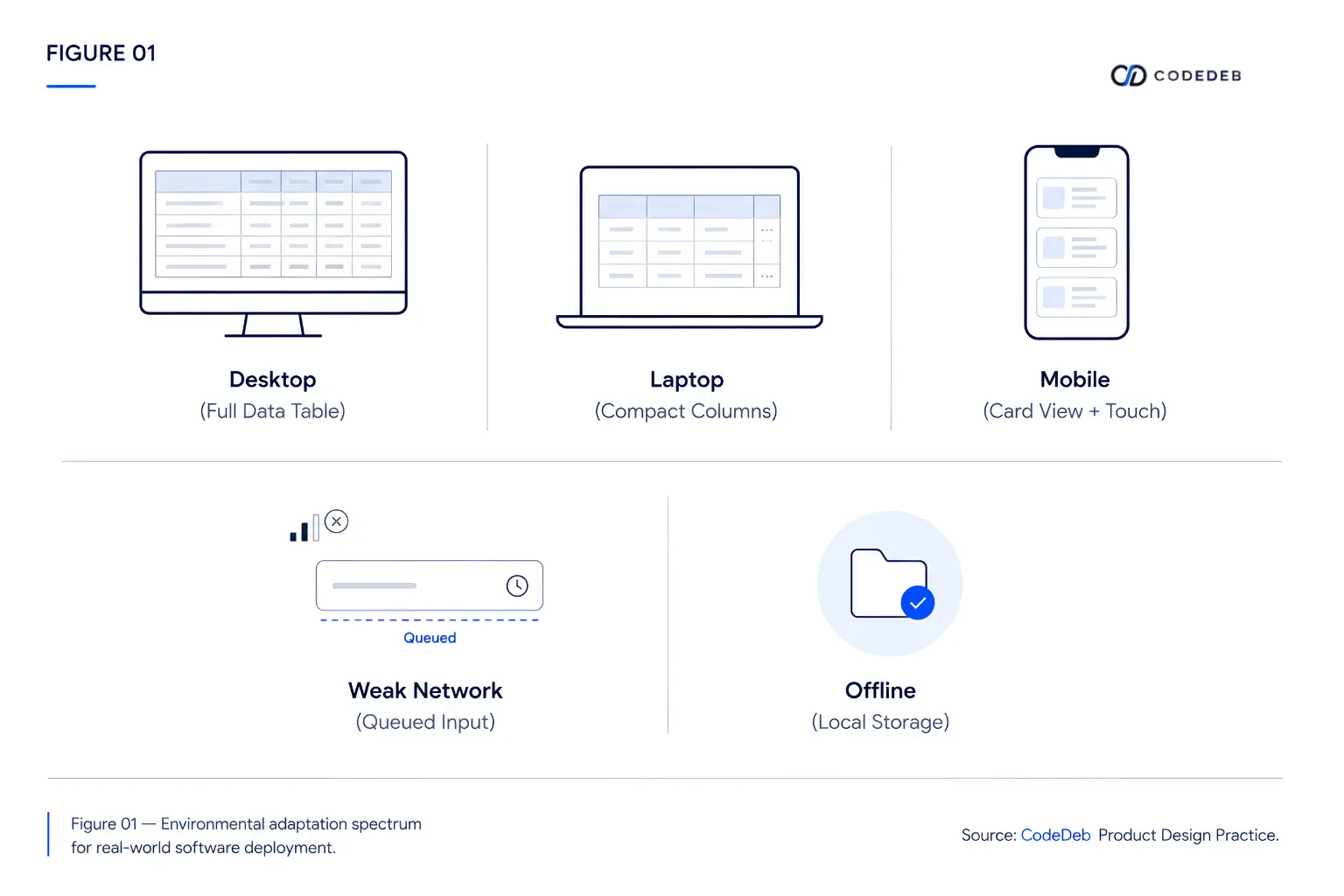
Many developers assume that adding CSS media queries makes an application "mobile-friendly." However, shrinking a 12-column desktop layout until it stacks into a single 5000-pixel vertical scroll on mobile is not user-centered design. Mobile interaction demands rethinking information density, touch target sizes, and input workflows from scratch.
Network state is a core user interface concern
When internet connectivity drops, standard web applications often fail silently or display generic browser error screens. Professional software built for local conditions treats connectivity as a dynamic application state. The interface should clearly inform the user:
- Saved locally: "Your entry has been safely saved on this device."
- Pending synchronization: "3 records queued for upload when connection recovers."
- Sync complete: "All offline entries updated with the central server."
Designing for environmental interruption
Users in field, retail, or hospital environments rarely give software uninterrupted focus. A receptionist answering phone calls while registering a patient will be interrupted multiple times during a single form entry. If the application clears form fields when the screen rotates or the browser tab suspends, the user loses their work.
Interfaces built for local reality automatically persist form state locally as the user types, allowing them to resume exactly where they left off even if their device restarts.